WiSE 2.04.0 draws a measured move target on each second entry. Everything else in the release is smaller: leg numbers, a stricter second entry option, a higher timeframe mode, a chart panel and new templates. Everything new is off until you turn it on, so your existing charts load as before.
Measured move targets
You took the second entry. Where do you get out, and how big should the position be?
A measured move is one of the oldest answers to that. Take the leg before the pullback, copy its length, and see where the next leg would end if it were just as long. WiSE now draws that level on the same second entries it marks. It uses the swings it already used to call the entry, so the target and the signal come from one count and cannot disagree.
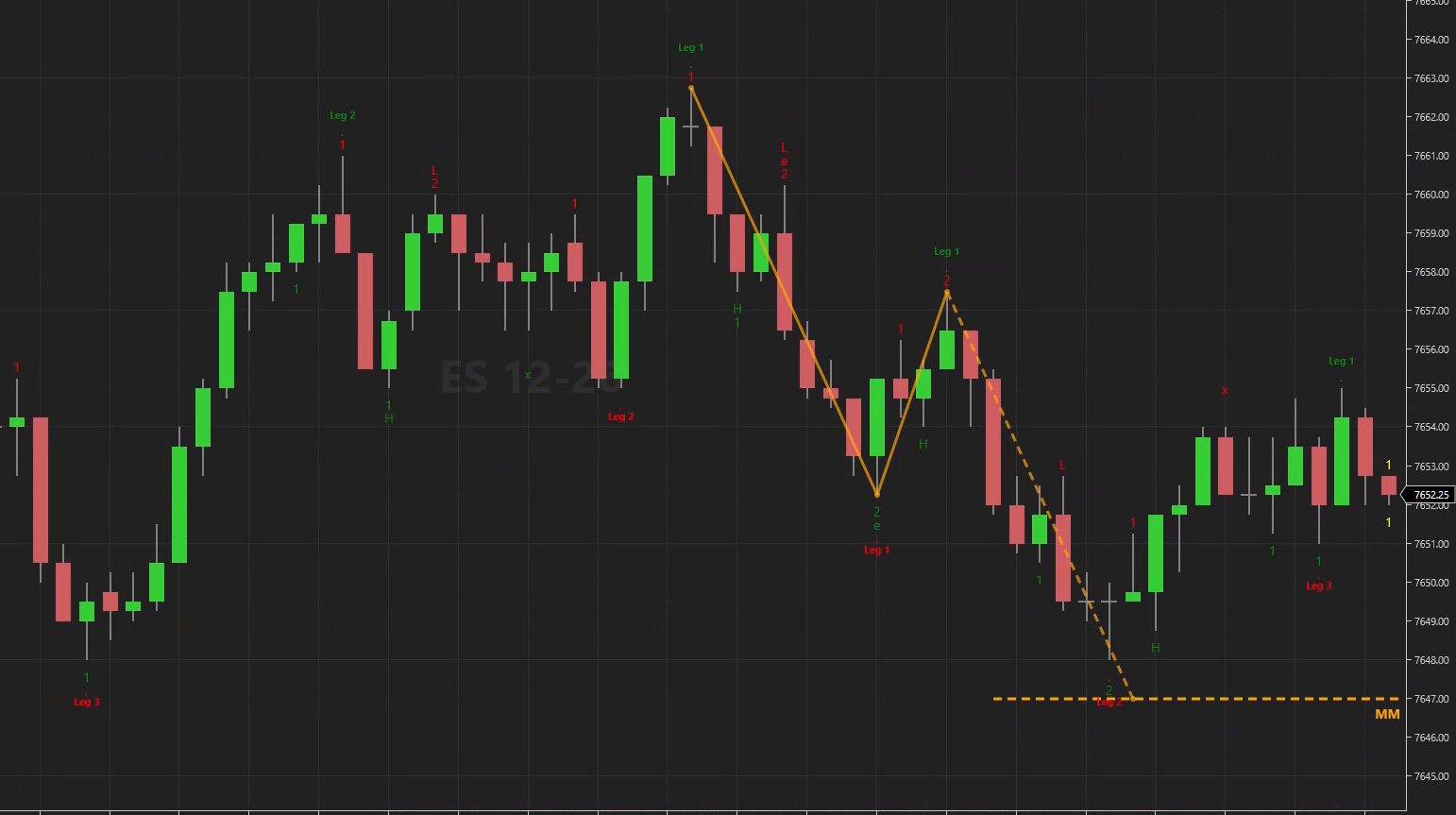
One example on ES: a short second entry. The leg down from the high, the pullback up, and the target below. We picked it because it is easy to read. It is not typical: most targets do not end this cleanly.
How WiSE finds the target, for a short (a long is the mirror):
- The leg. The move that made the new low. It starts at the last swing high where the up structure broke, and it ends at the new low.
- The pullback. The highest high from the new low to the second entry.
- The target. Pullback high minus the size of the leg.
On the chart, a zigzag shows the math: leg start, new low, pullback high, target. The two moves that already happened are solid lines, and the projected one is dashed. The target is a dashed line with an MM label. WiSE sets it when the 2 bar closes and never moves it after that. The line stops at the bar that touches the target, or after the line length you set. If the entry fails first, the line stops at the fail and turns grey.
If the pullback goes past the start of the leg, there is no target. The pullback took back the whole leg, so there is nothing left to measure. You will see this a lot: many second entries get no target because of this rule.
The target is a planning level. Before we built this, we tested measured moves on ES with 2000 tick, 1 minute and 5 minute bars, and held back the last three months as an out of sample check. Price did not react at the target more than at any other level the same distance away, and the second leg was usually shorter than the first. So use the target to check that the trade has room before you take it, and size the trade from the same swings as the entry. Decide in advance what you will do if price gets near the target. How traders measure the move, and what each test showed, is in Measured move trading: how to measure the target.
One limit you will run into: in a long trend the leg start can sit far back, and the target comes out large. WiSE does not rescale the chart for it, so that line can run off the edge of the screen.
The target settings are all in the new Measured Move group:
- Measure from second entries (the default), first entries or both. With both, the labels read MM1 and MM2.
- MMs to show sets how many of the latest targets to draw per side. Show price on label adds the target price and the leg size, for example MM2 7702.75 (+19.00).
- Pullback low from picks the zero bar (as before) or the bar after it.
- Show failed targets (Off by default) draws failed targets in grey and counts them in MMs to show.
- You can pick your own colors for long and short targets and your own label font. The zigzag follows the line width.
- Target and leg labels stay clear of the indicator name at the top of the chart.
Reading structure
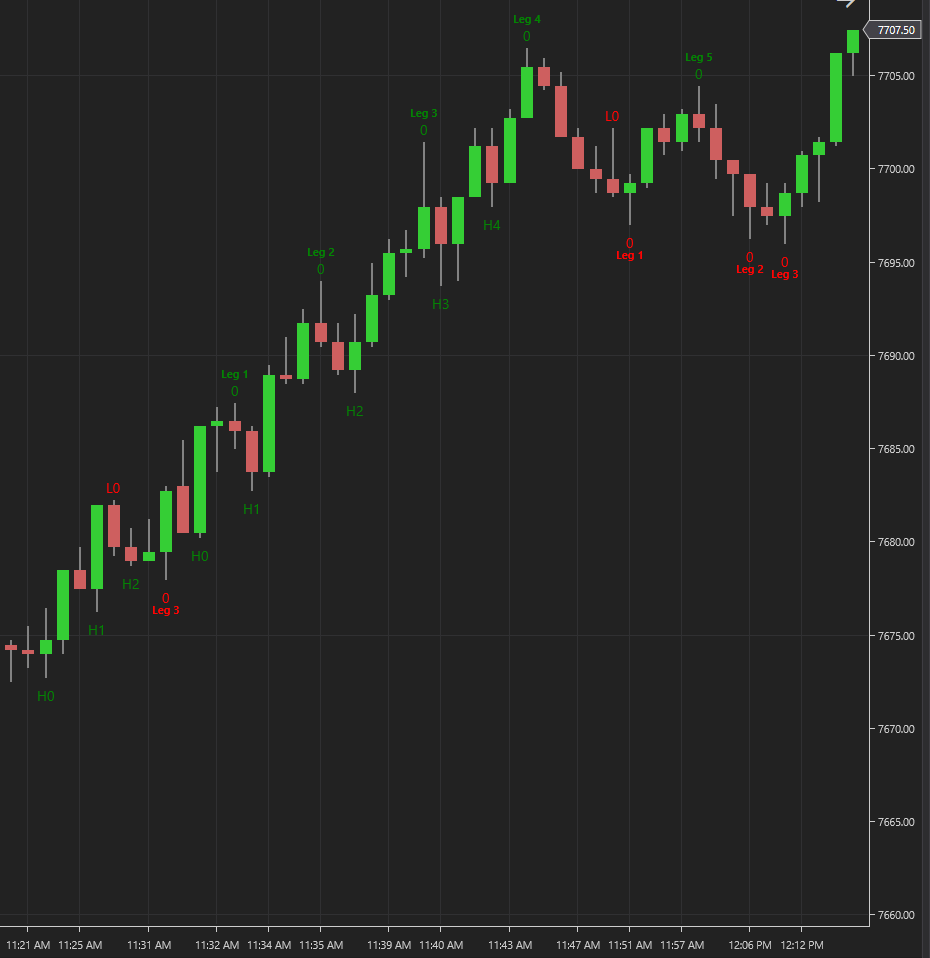
Leg count numbers the trend legs (Leg 1, Leg 2 and so on) over each new high or low, so you can see how far into a trend you are. The count starts again after a lower low (a higher high in a down trend). Legs to show sets how high the count goes. Leg count works with or without the measured move.
To see the higher lows, lower highs and leg numbers together, load the Swings and legs chart template.
Filtering entries
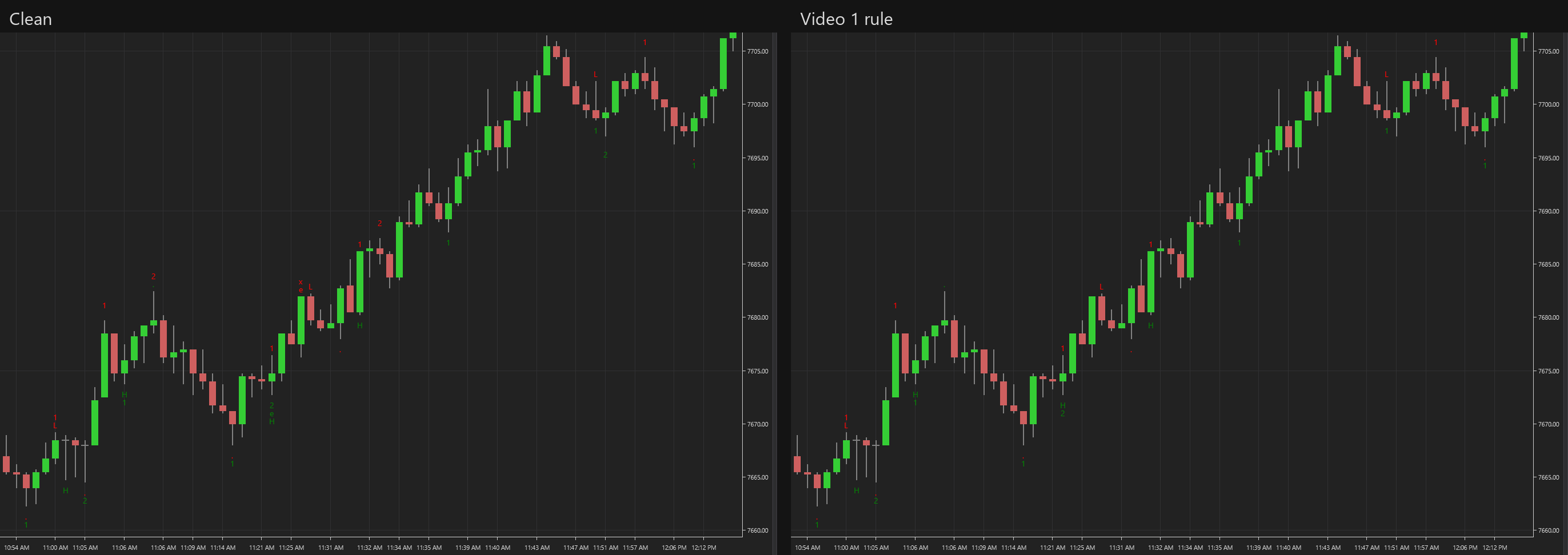
- Require higher low (Off by default) counts a second entry only when its pullback holds above the first pullback (below it for shorts).
- The Video 1 rule chart template turns on Require higher low and turns off Use engulfing bars, so one outside bar cannot count as two moves. That is the rule from our first second entry video. Expect fewer second entries than with the default settings.
- Watch for fail until can keep watching an entry for a fail until price reaches its target, instead of stopping after the profit target in ticks.
- Fixed: Max towards trade wick size now works on short entries. Before, it never hid one.
Higher timeframe
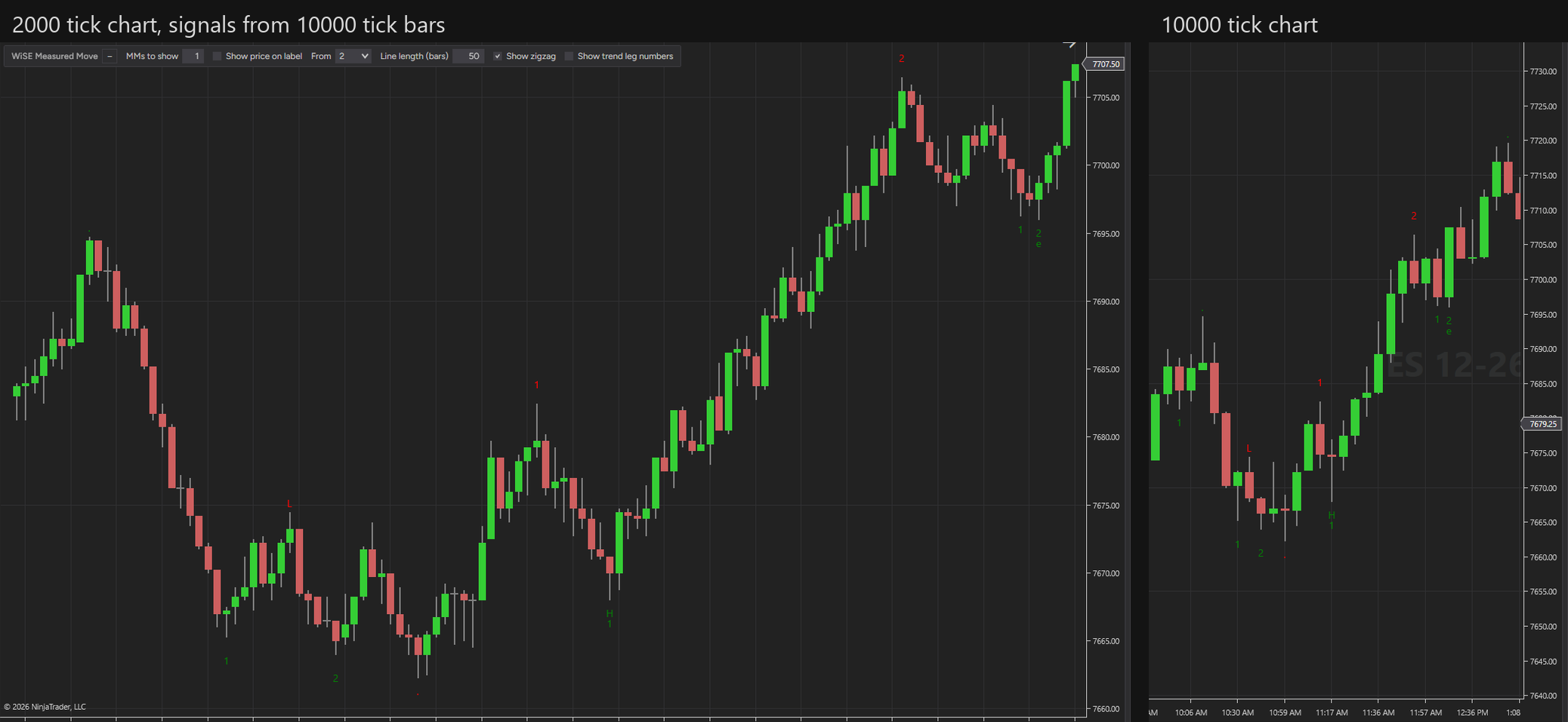
You can now trade a 2000 tick chart while WiSE reads the structure on 10000 tick bars. The setting is Calculate on a custom bar series. You pick the series in the settings, so you do not add it to the chart. Signals, targets and zigzags still draw on the bars you trade. The Higher timeframe template sets it up.
Easier setup
Seven new chart templates replace the old set: Clean; Clean, strict bars; Video 1 rule; Swings and legs; Measured move; Higher timeframe; Full control.
A chart panel covers the changes you make most, without opening the settings: how many targets to show, the price on the label, first or second entries, the line length, and the zigzag and leg numbers on or off. A button folds it away.
The settings window is shorter. It hides rows that do nothing with your current choices, and a row comes back when you turn on the setting above it. Lists use readable values (Second entries, Profit target, Zero bar) and readable signal names (Second entry long). Your saved values do not change.

If you want one place to start, load the Measured move template. Every change is listed in the WiSE change log, every setting is in the Settings reference, and the exact rules for the target are in Understanding signals.
Get the trading tool updates.
New releases, setup guides, and the occasional NinjaTrader tip. Roughly once a month.