Key levels on NinjaTrader 8
Before the open, most day traders mark the same prices: the prior day high and low, the overnight high and low, and later the opening range. NinjaTrader 8 has free indicators for the prior day and the current day. Its indicator list has no indicator for the overnight range or the opening range.
What NinjaTrader 8 draws free.
Prior day high and low
Hours
The prior session. For ES, that is either the cash session, 09:30 to 16:00 Eastern, or the full electronic session.
In NinjaTrader 8
Free: Prior Day OHLC, the prior day (session) open, high, low and close, on intraday charts. A chart's sessions come from its trading hours template, so check which template the chart uses.
Current day high and low
Hours
The session so far.
In NinjaTrader 8
Free: Current Day OHL. It tracks the open, high and low of the current session as it runs.
Pivot levels
Hours
Calculated from the prior day, week or month.
In NinjaTrader 8
Free: Pivots, plus Camarilla Pivots, Fibonacci Pivots and Woodies Pivots in the same indicator list.
Overnight high and low
Hours
From 18:00 to the 09:30 open, Eastern, for ES.
In NinjaTrader 8
Not in the indicator list. Current Day OHL tracks the whole current session, so it does not keep the overnight range as a line of its own.
Opening range high and low
Hours
The first minutes of the cash session, for example the first 30.
In NinjaTrader 8
Not in the indicator list. You can draw two lines by hand once the range ends, and draw them again every day.
The free route has a cost. When you apply a trading hours template, NinjaTrader ignores any data outside the times in its session definitions. So if you set a chart to cash session hours to get a cash session prior day, the overnight trading is not on that chart.
Where each level comes from.

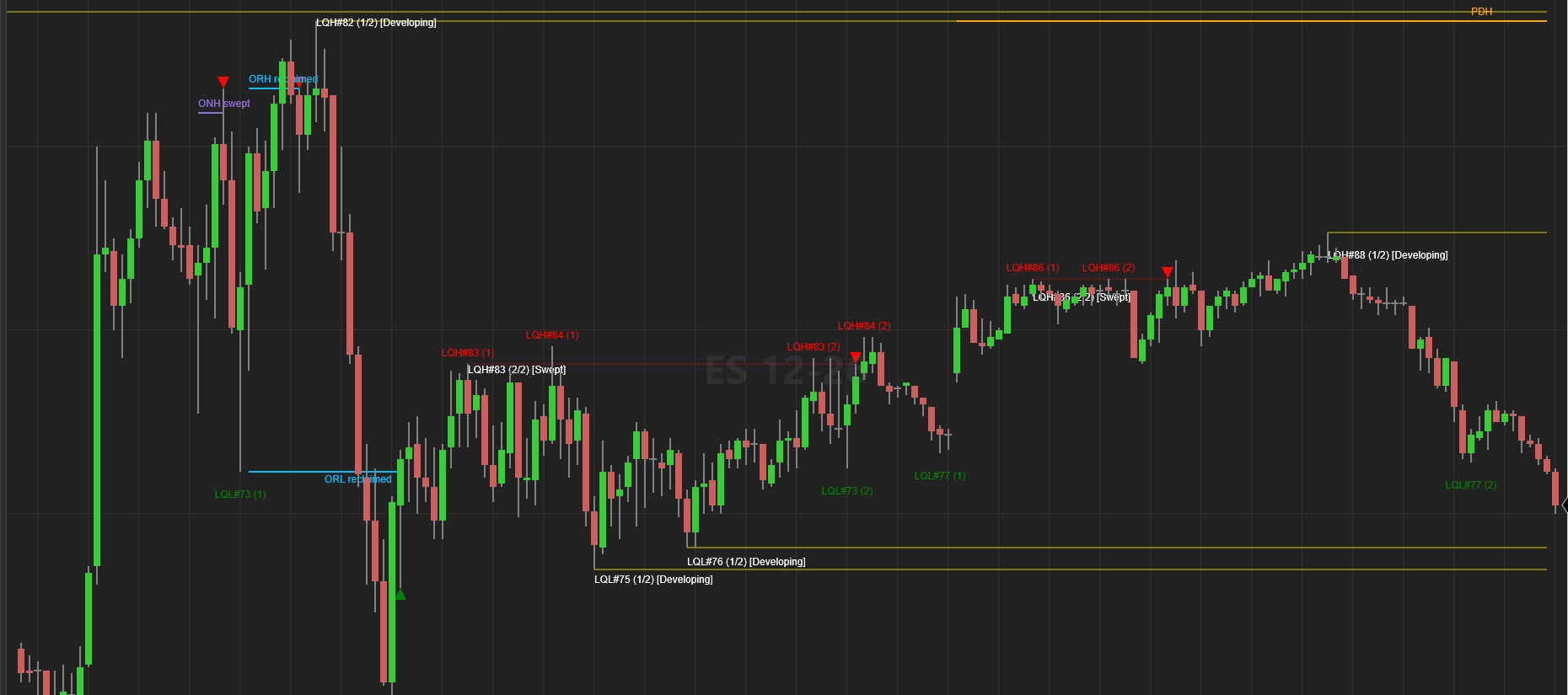
All six lines, drawn for you.
SweepScope draws the prior day high and low from the cash session, the overnight high and low from 18:00 to 09:30, and the opening range, 30 minutes by default. Each line has its label at the right end: PDH, PDL, ONH, ONL, ORH and ORL. It does not draw the current day high and low or pivots; keep the free Current Day OHL and Pivots indicators for those.
The session times are settings: RTH open, RTH close and Overnight start, in Eastern time. The opening range can be 1 to 390 minutes.
It also says what price did at each line: swept, broken, reclaimed or accepted. Accepted is a break that holds, which the settings call a run. A sweep or a reclaim gets a triangle.
Alerts are off by default. Turn on Sweep alerts, and Alert on key levels then alerts you when a prior day, overnight or opening range level is swept or reclaimed. Alerts fire on live bars, not on historical bars.
The limits: the levels need an intraday chart, and minute or second bars must end on the cash session open and close, so 1, 5, 15 or 30 minutes work. A chart that loads in the middle of a session draws no level from the part it did not see.
Which of these levels matter is your call. We have not measured how often price turns at any of them, and nothing on this page says it does.
About SweepScope
SweepScope is an indicator for NinjaTrader 8. It marks where price sweeps liquidity resting above equal highs or below equal lows, and the swing points around each sweep.
SweepScope marks liquidity sweeps on your chart. It does not place trades; you decide every trade. Examples are chosen to show how it works, and not every setup works. You can lose money trading futures, even more than you put in. See the full risk disclosure.