Filters hide signals and symbols by turning them into the Hidden Color. Pick a hidden color that isn't bright, so unqualified symbols don't attract your attention. While testing, it's recommended not to use a transparent color because it may cause confusion.
Direction and count filters
- Hide Long Signals / Hide Short Signals — hide long or short entry signals on the chart.
- Max count HL/LH — the maximum number of Lower High (LH) or Higher Low (HL) signals per zero entry.
- Max count Entries — the maximum number of entries per zero entry.
- Hide Inside Bar — hides second entry signals with inside bars.
- Hide 0/1 without 2 — hides zero entry and first entry signals without a corresponding second entry.
Scope filters
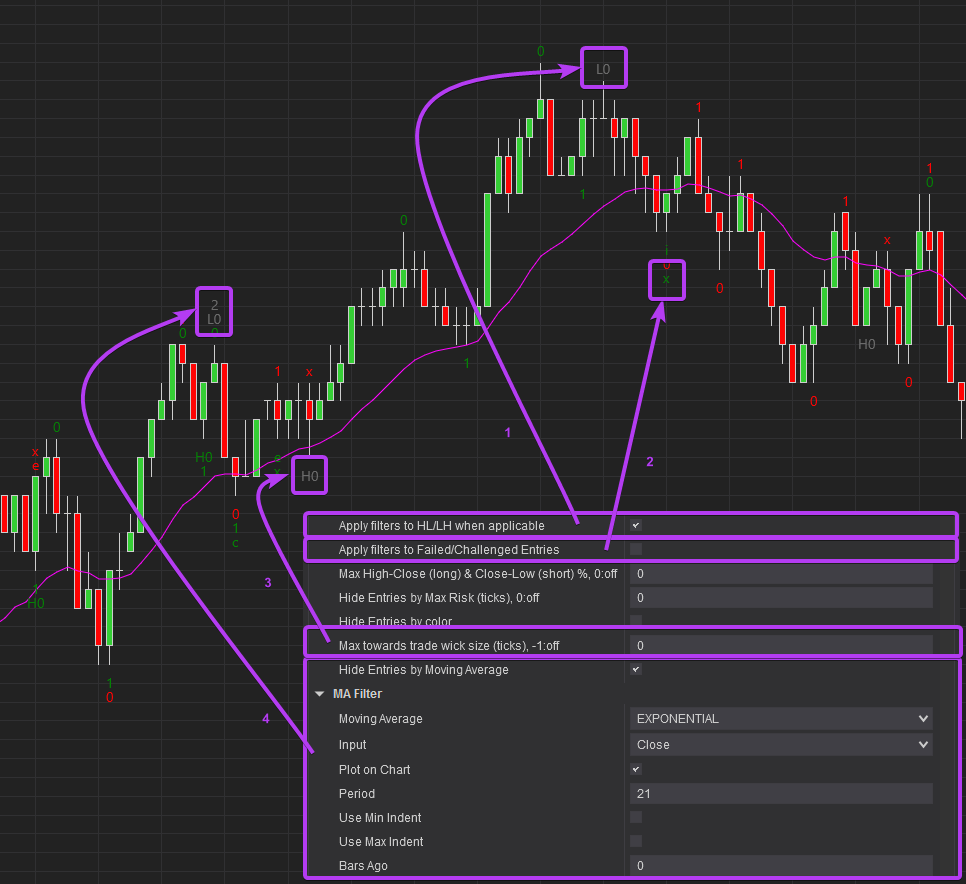
- Apply filters to HL/LH when applicable — treats HL/LH the same as entries when filtering.
- Apply filters to Failed/Challenged Entries — controls whether an originally filtered entry stays hidden after it fails or is challenged.
Bar quality filters
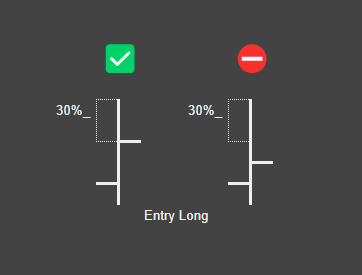
- Max High-Close (long) & Close-Low (short) %, 0:off — hides bars that don't meet the specified percentage difference between High and Close (for long) or Close and Low (for short).
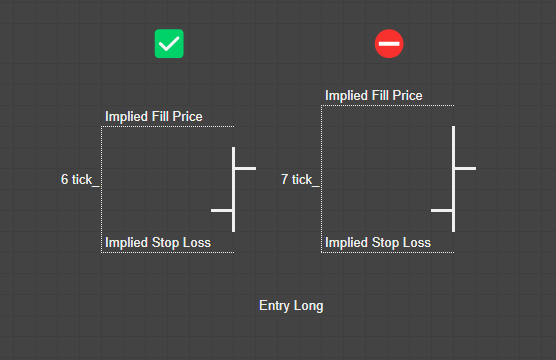
- Hide Entries by Max Risk (ticks), 0:off — hides bars that exceed the specified maximum risk in ticks.
- Hide Entries by color — hides the entry if the signal bar is red (for long) or green (for short).
- Max towards trade wick size (ticks), -1:off — hides bars whose wick pointing in the trade direction is longer than specified.
- Hide Entries by Moving Average — hides the entry if the Close is indented from the MA. Configure the moving average type, input, period, and min/max indent in the MA Filter settings.
Next: every setting, explained.
Get the product
View productWiSE
Master the Art of Identifying Second Entries. $25/mo · 7-day free trial.